 Akswer
Product management for software teams
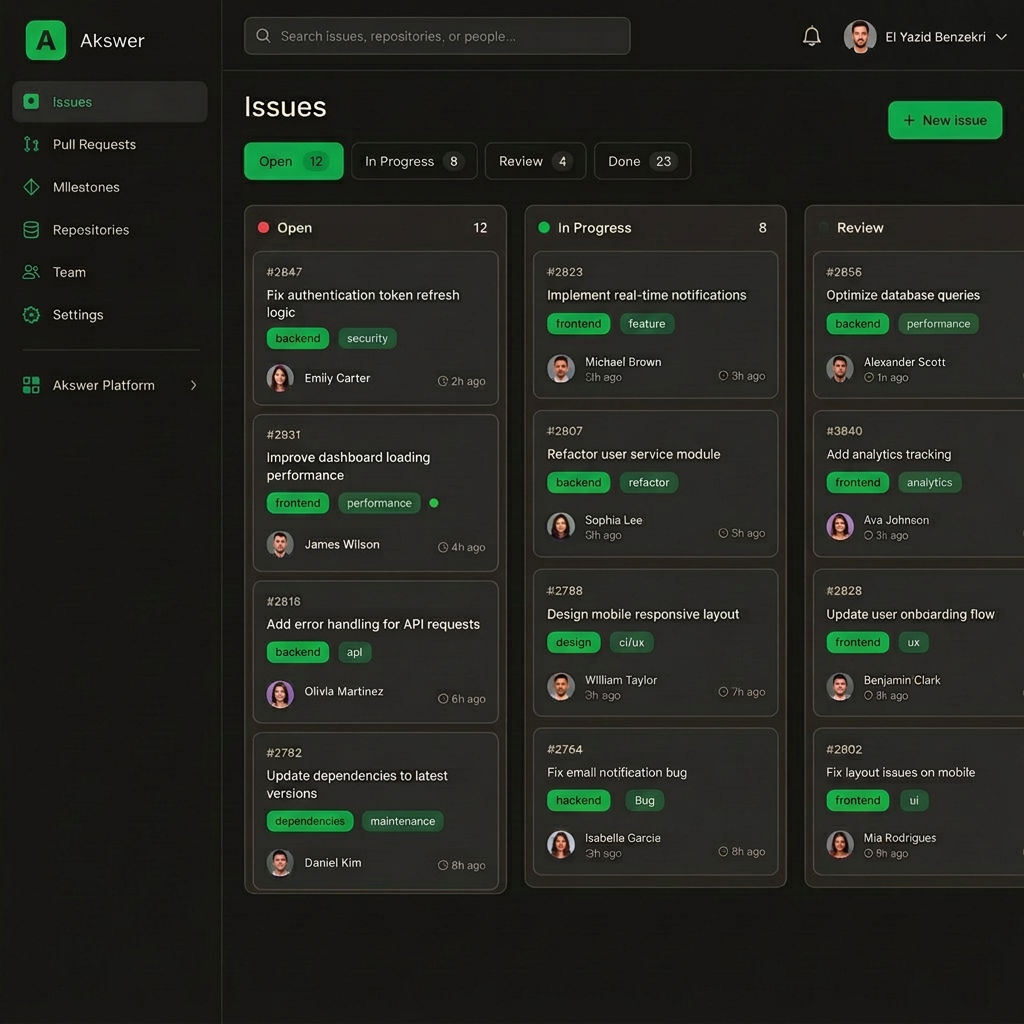
Akswer is a subscription platform that helps product and engineering teams organize their work: track issues, plan delivery cycles, manage roadmaps and automate routine workflows — in one place instead of four separate tools.
Monthly subscriptions from $9 per user. Contact us to evaluate the product for your team.
Built for U.S. software teams and businesses
Akswer provides cloud-based product management software for startups, technology companies, and software teams operating in the United States.
What is Akswer?
Akswer is a SaaS product management platform built for software and product teams. It centralizes the tracking of product and engineering work: issues, cycles, roadmaps, workflows, automations and product insights.
The problem we address: software teams usually spread this work across several disconnected tools — one for tickets, another for planning, a spreadsheet for the roadmap, a chat thread for status. Context is lost between them and nobody has a single reliable view of what is being built. Akswer brings those workflows together into one coherent experience.
The product is sold to businesses as a recurring subscription. Read more about how the company operates.
What you get
See all features →Issues
Create, assign and triage work with states, sub-tasks, dependencies and saved views per team.
Cycles
Plan short iterations, carry unfinished work forward automatically and keep scope visible.
Roadmaps
Projects, milestones and target dates on one timeline everyone can read.
Automations
Rule-based triage, state transitions and notifications that remove repetitive steps.
Insights
Workload, cycle progress and delivery trends computed from the work already in the workspace.
Access control
Account-scoped data, role-based permissions and sign-in secured over HTTPS.
How it works
From a blank workspace to a shared view of everything your team is building — in four steps.
- 1
01Create your workspace
Sign up with a work email and invite the people on your product and engineering team.
- 2
02Organize your product work
Capture issues, group them by team or project, and set states that match how you actually work.
- 3
03Plan cycles and roadmaps
Schedule short delivery cycles and place projects and milestones on a shared roadmap.
- 4
04Track progress and collaborate
Follow progress in insights, automate routine updates and keep everyone on the same view.
What users say
20 sample reviewsThese reviews are sample entries for illustration. They are not verified customer testimonials; real customer feedback will replace them as it is collected.
“We moved our whole backlog over in an afternoon. Saved views per team finally stop the endless filter re-creating between standups.”
“The feature set is right, but the board loads slowly once a project gets past a few hundred issues. Hard to use during a live planning call.”
“Cycles carry unfinished work forward automatically, which used to be a manual Sunday evening ritual for me. That alone paid for the plan.”
“Roadmaps are readable enough that I stopped maintaining a separate spreadsheet. Onboarding for a team of six took us less than a day.”
“Filtering by state or assignee is noticeably slow on larger boards. I mostly use it, but the lag adds up when you switch views often.”
“Automations removed the busywork of re-assigning triaged tickets. Setup took about twenty minutes and our standups now start from real data.”
“As a one-person shop I didn't expect to need this, but the milestone timeline keeps me honest about what actually ships each month.”
“Roles and permissions are simple but sufficient: contractors see their projects, nobody stumbles into another team's workspace by accident.”
“Cycle progress in insights means I no longer chase people for status updates. I wish the burndown view had more options, though.”
“Works for small projects, but the app gets slow in the afternoon with several boards open. Switching between views often takes too long.”
“Sub-tasks and dependencies are the reason we switched. Planning a release is now one screen instead of three tools and a whiteboard.”
“Issue states match how we actually work instead of forcing a rigid template. The import from our old tracker kept comments and assignees.”
“Support answered my billing question the same day, in plain English. The product itself does exactly what the site says it does.”
“Workload insights surfaced an overloaded team we hadn't noticed. Reporting is basic but honest — no vanity charts nobody reads.”
“The per-team saved views stopped the weekly argument about whose board layout is 'correct'. Everyone just opens their own view now.”
“Fair price for what it covers at my scale. Setup was quick, and the roadmap timeline is the first one my non-technical partner can read.”
“We run two-week cycles across three squads and the shared view keeps scope visible without a status meeting. Automations handle the rest.”
“Good features overall, but syncing a large backlog takes a while and switching workspaces feels sluggish on slower connections.”
“Clients get a clean roadmap link instead of a wall of tickets. Two of them signed longer retainers after seeing their projects laid out.”
“The insights dashboard replaced a reporting deck I used to build by hand every Friday. Delivery trends per team are right there when I open the workspace.”
Ready to organize your product work?
Create an account in a couple of minutes, or talk to us about what your team needs.